
Locked out of your Oppo after a factory reset? Trusted FRP unlock experts can safely bypass Google verification and restore full access.
An Oppo FRP lock doesn’t just block your phone—it blocks your access to communication, work, and daily essentials. Calls, apps, photos, and important accounts become unreachable while the device demands a Google account you no longer have access to.
Many users try free online FRP bypass tricks, but these methods are mostly outdated and unreliable on modern Oppo devices. Failed attempts can cause software corruption, boot loops, or even permanent security restrictions. For businesses handling multiple Oppo phones, FRP locks mean downtime and lost productivity. This is a serious issue that requires professional FRP Unlock Experts, not trial-and-error solutions.
Factory Reset Protection (FRP) is a Google security feature enabled on Oppo phones running Android 5.1 and above. When an Oppo device is factory reset without removing the previously synced Google account, FRP activates and requires that account during setup.
FRP lock commonly occurs due to:
While FRP is designed to prevent theft, it does not recognize legitimate ownership—making Oppo FRP Unlock Experts essential for lawful access restoration.
We provide secure, reliable, and tested solutions to bypass Google account verification on Oppo devices with professional precision.
Our techniques are designed specifically for Oppo firmware, ColorOS versions, and modern Android security patches.
We avoid unsafe APKs and outdated tricks, using certified tools and device-specific methods to unlock Oppo phones safely.
Whether you are an individual or managing multiple devices, our Oppo FRP unlock services deliver quick and reliable results.
Our Oppo FRP Unlock Experts support a wide range of Oppo smartphones, including:
• Oppo A Series
• Oppo F Series
• Oppo Reno Series
• Oppo Find X Series
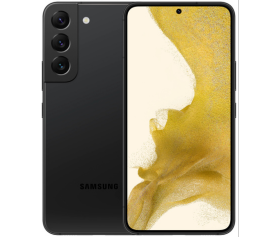
• Android 6 to Android 14
• ColorOS 5 to ColorOS 14
• Latest security patches (model-dependent)
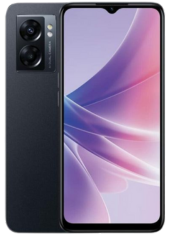
Here’s why users trust our FRP Unlock Experts for Oppo devices:
Oppo model, Android & ColorOS version
Best unlock technique for your device
Fastboot or service mode
Google lock bypassed professionally
Performance, network, and stability checks
Guidance to avoid future FRP issues
Oppo FRP protection is advanced and regularly updated with ColorOS and Android security patches. Random online tricks, free tools, and outdated videos often cause permanent lockouts, system errors, or Oppo account and verification issues.
Professional Oppo FRP unlocking ensures:
Correct method for your exact Oppo model and ColorOS version
No trial‑and‑error risks
No software damage or security escalation
Peace of mind with expert handling
Choosing professionals saves time, money, and protects your Oppo device.
Yes, if you are the legitimate owner of the device.
FRP appears after a factory reset, so user data is already removed.
Yes, including new Oppo A, Reno, and Find series.
Yes, for supported Oppo models with secure guidance.
We offer transparent solutions or refunds where applicable.
An Oppo FRP lock doesn’t have to make your phone unusable. DIY tricks are risky and outdated, while professional services deliver safe and lasting results. Trust Oppo FRP Unlock Experts, your reliable FRP Unlock Experts for fast, secure, and professional FRP unlock services. Contact us now and regain full access to your Oppo device with confidence.

© 2025 FRP Unlock Expert. All Rights Reserved. Developed by Softileo.