
Locked out of your Google Pixel after a factory reset? Skilled FRP unlock specialists can securely bypass Google verification.
A Google Pixel FRP lock doesn’t just stop you from using your phone—it blocks access to your entire digital life. Calls, messages, apps, photos, cloud services, and business tools all remain locked behind a Google verification screen or restricted by MDM policies.
Many Pixel users try free online tutorials, APK files, or outdated bypass tricks. On modern Pixel devices, these attempts usually fail and can even trigger deeper security restrictions. For businesses, technicians, or resellers managing Pixel phones, FRP and MDM locks create delays and financial loss.
Factory Reset Protection (FRP) is a Google security feature built directly into Android. On Google Pixel devices, FRP is especially strict because Pixels run pure Android and receive security patches earlier than other brands.
When a Pixel phone is factory reset without first removing the Google account, FRP activates and requires the same account during setup.
Common reasons for Pixel FRP lock include:
FRP protects against theft—but it cannot identify legitimate ownership. That’s where experienced FRP Unlock Experts provide a lawful solution.
As professional Google Pixel FRP Unlock Experts, we specialize in bypassing Google account verification on Pixel devices using secure, model-specific methods.
Our approach is tailored to Pixel hardware, Android versions, and the latest security patches to ensure accurate and reliable results.
We avoid unsafe APK hacks or shortcuts, using professional tools and controlled procedures that protect firmware, performance, and security.
Whether for individual users or businesses managing multiple Pixel phones, our services are designed for speed, reliability, and consistency.
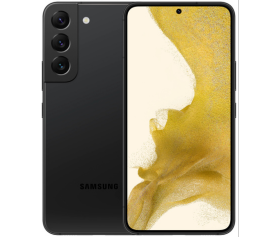
Our Google Pixel FRP Unlock Experts support most Pixel devices, including:
• Pixel 2 / 2 XL
• Pixel 3 / 3a / 3 XL
• Pixel 4 / 4a / 4 XL
• Pixel 5 / 5a
• Pixel 6 / 6a / 6 Pro
• Pixel 7 / 7a / 7 Pro
• Pixel 8 / 8 Pro
• Android 8 through Android 14
• Latest monthly security patches supported (model-dependent)
Clients choose our FRP Unlock Experts because we deliver results where others fail:
Pixel model, Android version, security patch
Best method for your specific device
Fastboot, recovery, or service-level access
Google account verification removed
Network, system, and stability checks
How to avoid FRP lock in the future
Google Pixel FRP protection is tightly integrated with Google’s advanced Android security system and is frequently updated through monthly security patches. Random online tricks, free tools, and outdated videos often result in permanent lockouts, system instability, or account verification failures.
Professional Google Pixel FRP unlocking ensures:
Correct method for your exact Pixel model and Android version
No trial-and-error risks
No software damage or security escalation
Peace of mind with expert handling
Choosing professionals saves time, money, and protects your Google Pixel device.
Yes, as long as you are the rightful owner of the device.
FRP appears after a factory reset, which already erases user data.
Yes, including newer Pixel devices, depending on security patch level.
For certain models, guided remote unlocking is available.
We inform you upfront and provide alternatives or refunds when applicable.
A Google Pixel FRP lock doesn’t have to make your device unusable. DIY methods are unreliable on modern Pixels, while professional services ensure safe, effective results.
Trust Google Pixel FRP Unlock Experts—your reliable FRP Unlock Experts—for fast, secure, and professional Pixel FRP unlock services. Contact us today and restore full access to your Google Pixel with confidence

© 2025 FRP Unlock Expert. All Rights Reserved. Developed by Softileo.